FluxFoodby SoftEmbed Technologies

Your own ordering app.
Zero commission.
FluxFood gives your restaurant its own branded ordering app on Android, iPhone and the web. Customers order straight from you, and you keep the 15–30% that delivery platforms take from every order.
- commission per order
- 0%
- commission per order
- platforms: Android, iPhone, web
- 3
- platforms: Android, iPhone, web
- users
- 5,000+
- users
- orders processed
- 10,000+
- orders processed
Trusted by restaurants and shops across the UK

IronBite
Coventry

Lukas1 Desserts
Liverpool

Ice&Sugar
Liverpool
The commission problem
Stop handing over a third of every order
Third-party delivery platforms take 15% to 30% of every order. On a £30 order that can be up to £9, plus VAT on top, before you have paid for food, staff or rent.
FluxFood takes no commission on orders. Customers order from your own app and website, payment goes through Stripe, and the order lands on your merchant screen and receipt printer.
You also keep the relationship: your brand on your customers' phones, and push notifications to bring them back.
What commission costs you
Move the sliders to match your shop
Third-party delivery platforms typically charge 15% to 30%.
Platforms charge VAT on top of their commission. If you are VAT-registered you can usually reclaim it.
on every order you take directly
For your customers
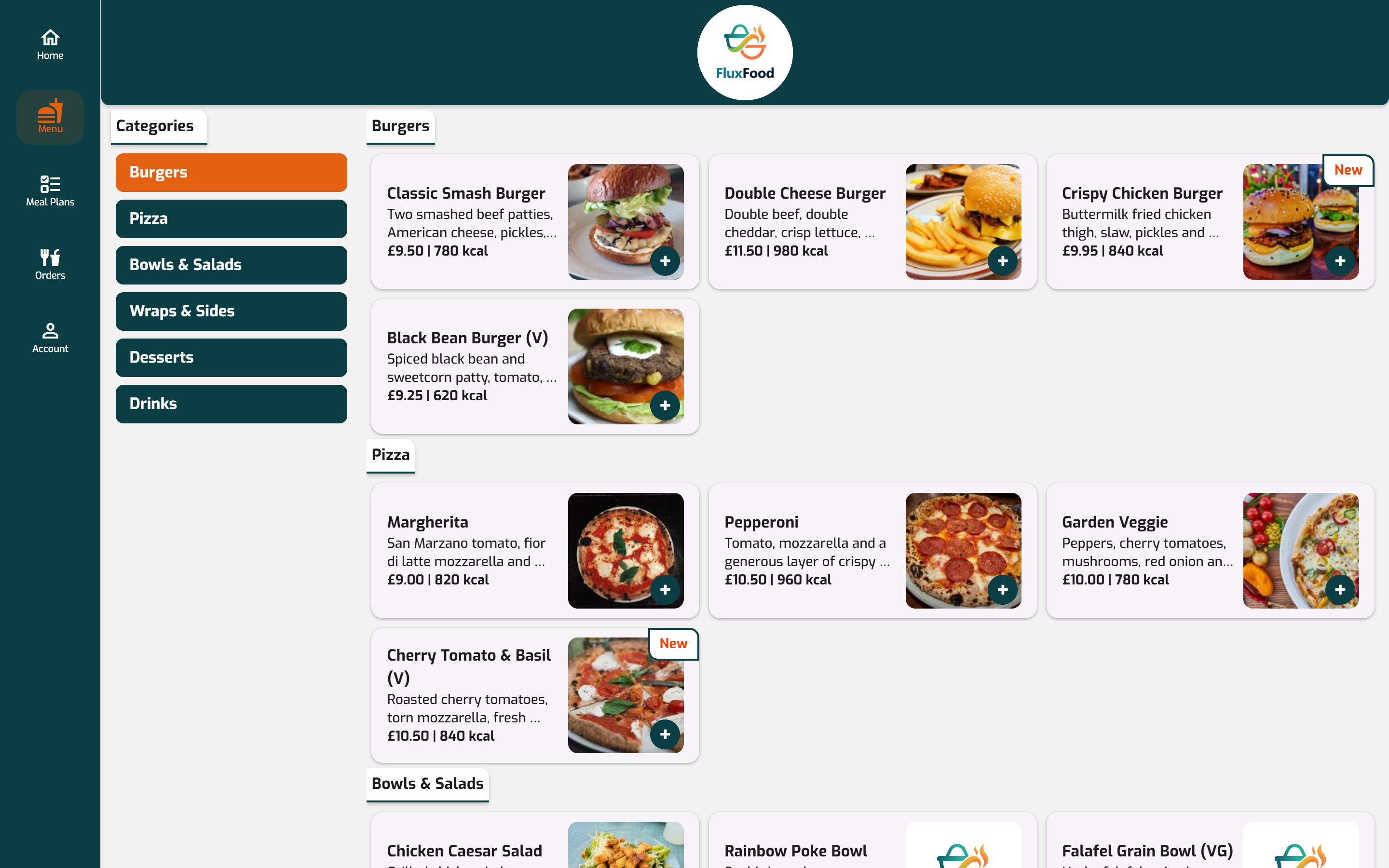
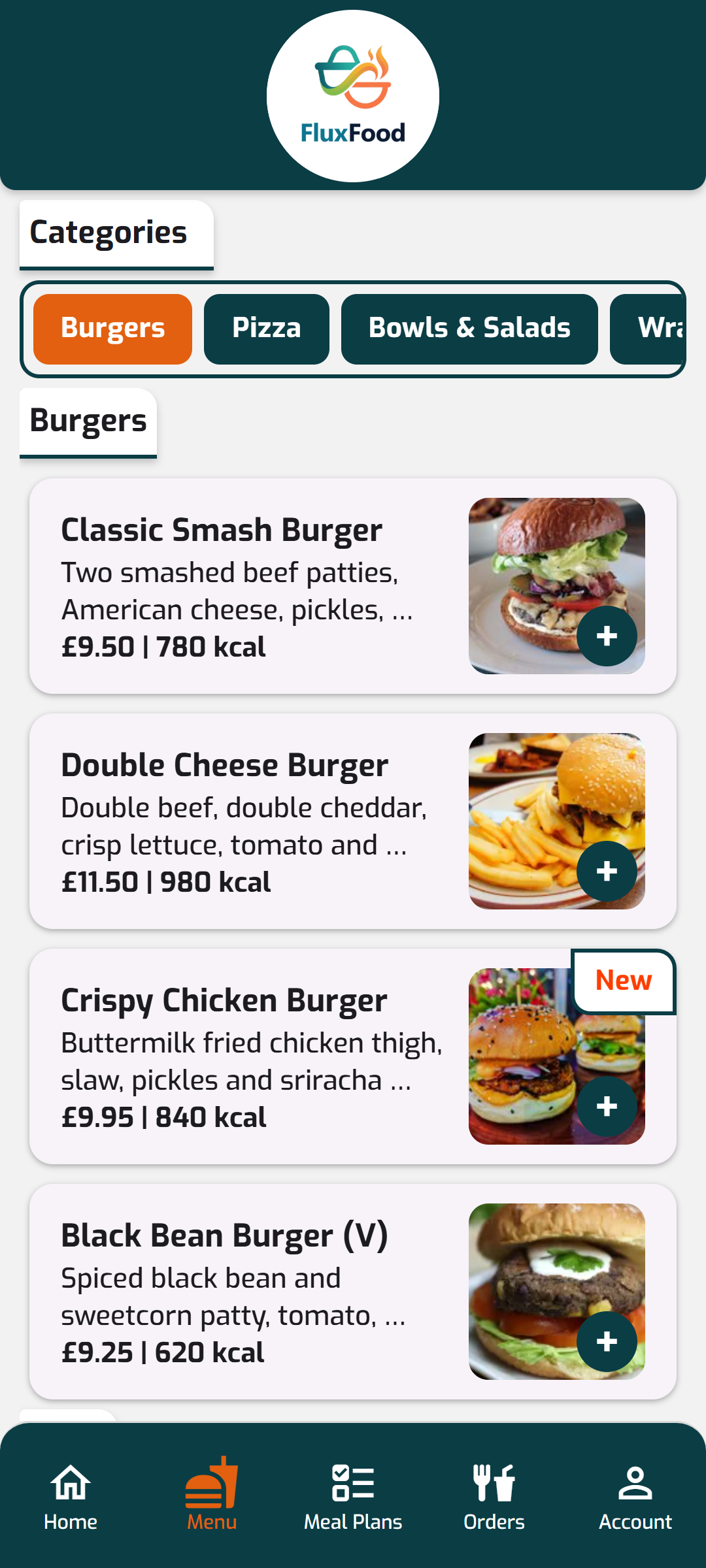
An ordering app they will want to use
The same experience on Android, iPhone and the web, under your name.
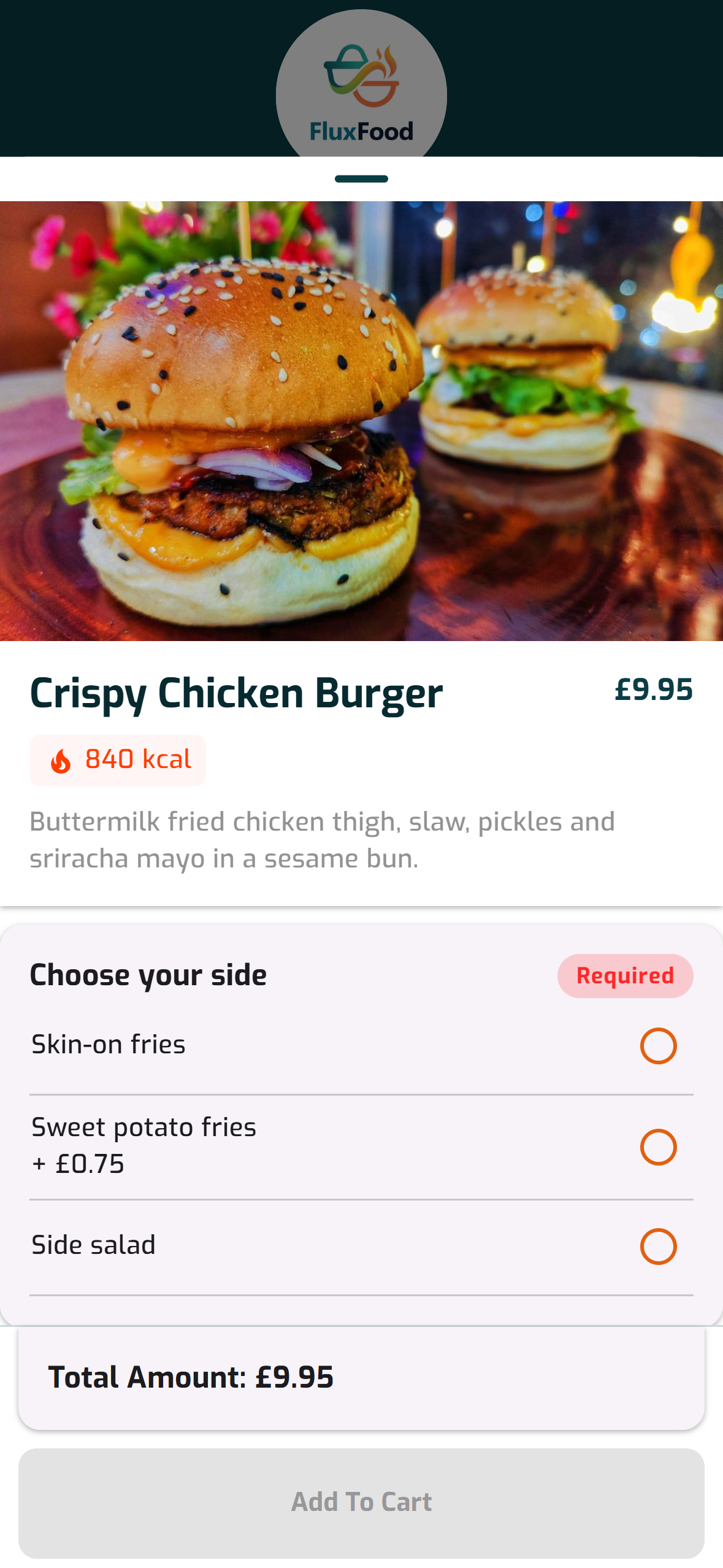
Order from your menu
Customers browse your menu, choose options and extras, and check out in a few taps.
Meal plans and subscriptions
Sell meal plans and subscriptions. Customers pick and change their meals and add notes for the kitchen.
Delivery or collection
Customers choose delivery or collection, save their addresses and leave delivery instructions.
Order for later
Customers can pick a time slot, so you can take scheduled orders as well as orders for now.
Live order tracking
Order status updates in real time, with current and past orders kept in the app.
Secure card payments
Checkout is powered by Stripe on Android, iPhone and the web. Promo codes are supported.
Push notifications
Customers get notified as their order moves along, on their phone or in the browser.
Quick sign-in
Customers sign in with email, Google or Apple. The web app can be installed on a phone like an app.
For your restaurant
Everything the kitchen needs to run orders
Your team handles orders in the merchant screens of the app, on a phone or tablet at the counter.
Merchant order screen
See new, scheduled and past orders in one place and move each order through to ready.
Sound alerts
Distinct alerts for new orders, meal-plan requests and cancellation requests, so nothing is missed in a busy kitchen.
Ready times
Extend an order’s ready time from the order screen when the kitchen is busy.
Receipt printing
Print orders on Bluetooth thermal receipt printers (58 mm or 80 mm paper) with your own receipt header, including automatic printing.
Sold-out items
Mark menu items and meal plans as sold out in seconds, and back again when they return.
Opening hours and holidays
Set weekly shop hours and holiday closures from the merchant settings.
Meal plan management
Follow every active meal plan and its history, and handle customers’ meal requests.
Customer reviews
Read the reviews customers leave on their orders.
Your brand, not ours
FluxFood is white-label. Your customers never see a marketplace or a competitor's menu, only your restaurant.
- Your app name, logo, icon and colours
- Your own Android and iPhone apps
- Your web ordering site on your own domain
- Your restaurant details on every receipt
Getting started
How onboarding works
We do the technical set-up. You bring your menu and your brand.
- 1
Book a demo
We walk you through FluxFood and talk about your menu, delivery area and how you take orders today.
- 2
We set up your brand
Send us your logo, colours and app name. We configure your Android app, iPhone app and web ordering site.
- 3
Add your menu and settings
Your menu, meal plans, opening hours and delivery or collection options go in, ready for your first orders.
- 4
Connect payments and printing
Card payments are set up through Stripe, and your receipt printer is paired with the merchant app.
- 5
Go live
Share your app and web link with your customers. We stay on hand for support after launch.
Questions restaurant owners ask
Does FluxFood take a commission on my orders?
No. FluxFood does not charge a per-order commission. Card payments still carry the payment provider’s (Stripe’s) processing fees.
How much does FluxFood cost?
It depends on your setup, such as the platforms you want and how many locations you run. Contact us and we will give you a clear quote.
Will the app carry my restaurant’s brand?
Yes. FluxFood is white-label: customers see your name, logo, icon and colours in the Android app, the iPhone app and the web ordering site.
Which devices does it work on?
Customers order on Android phones, iPhones or any modern web browser, and the web app can be installed to a phone’s home screen. Your team handles orders in the merchant screens of the same app.
Which receipt printers can I use?
Bluetooth thermal (ESC/POS) receipt printers with 58 mm or 80 mm paper, from the Android or iPhone app. Tell us your printer model and we will confirm it before you go live.
Can I keep using delivery platforms as well?
Yes. FluxFood is your own direct ordering channel and does not stop you selling elsewhere.
See FluxFood with your own menu
Book a free demo. We will show you the customer app, the merchant screen and receipt printing, and answer your questions about pricing and set-up.